Quick start
Install your first Skill and make it available to an AI tool. This guide applies to Skills Hub desktop v1.0.0.
Before you start
Install an AI coding tool, such as Codex, Claude Code, or Cursor. Skills Hub manages Skills for these tools. It does not install the tools themselves. Run the tool once so that it can create its configuration directory.
Already have Skills? Start with Import existing Skills. Starting from a collection? Follow Install collections.
Install the desktop app
- Open the download page.
- Select your operating system and processor.
- Download and install the app.
- Open Skills Hub.
Installation requirements differ between macOS, Windows, and Linux. If the app does not open, check the installation guide before changing any library files.
Add your first Skill
- Open Add Skills.
- Enter at least two characters. Find an individual Skill in the Skills results, check its source, and click install.
- Wait for source detection, then review the entries in Select Skills.
- Click Next to open Installation settings.
- Choose Global scope and select one detected tool.
- Review tags and the selected count, then confirm installation.
You can also browse the collections shown by default, or use Install from Git or Import local folder in the page header. Even one Skill requires confirmation after detection.
You can install into the library first and distribute to tools later. You can also add tags later. Online and Git installations need a network connection.
Check the result
- Open My Skills.
- Find the Skill you installed.
- Open its details and check the source, files, and tool status.
- Use the Skill in your AI tool according to that tool's instructions.
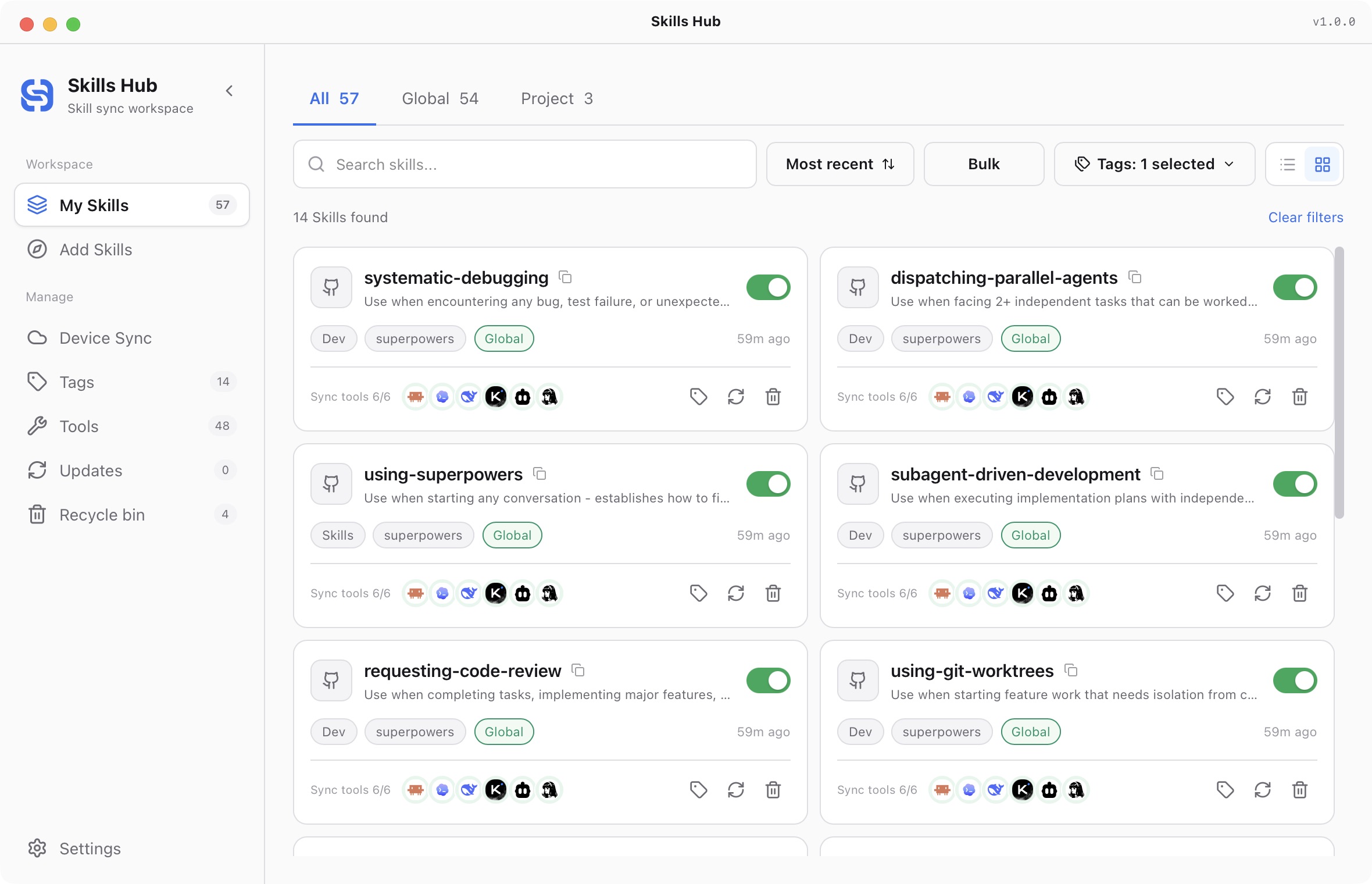
English interface (v1.0.0).
A successful library installation does not mean that every tool received the Skill. If one target failed, inspect its error and retry that target. You do not need to delete the Skill to repair one failed distribution.
Skills Hub installs and distributes files. The AI tool decides how to discover the Skill, when to use it, and whether a new session is required.
Next steps
- Organize the library with tags and filters.
- Learn about tools and project scope.
- Sync the library to another computer.
- Enable AI Management to manage Skills through conversation.
The default central library is ~/.skillshub. Skills Hub manages this directory. Use the installation or import flow to add files.
- Quick start
- Download and install
- Library and sync concepts
- Find and install Skills
- Install collections
- Import existing Skills
- Organize your library
- Distribute to AI tools
- Manage tools
- Supported tools and directories
- Update Skills
- Sync across devices
- Delete and restore
- Settings and troubleshooting
- Manage with AI
- CLI reference